Bulk-upload items, customers or prices from a spreadsheet
The four-step pattern behind every spreadsheet upload, and which of the six tiles to use.
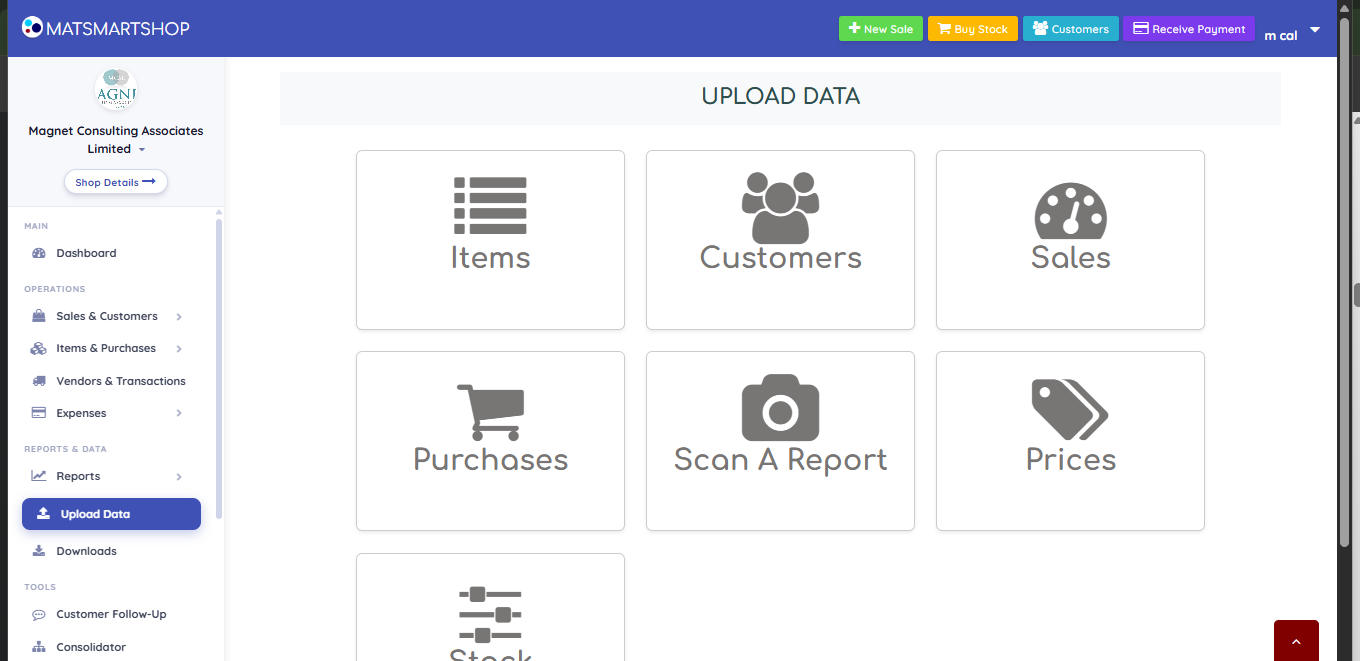
Upload Data — seven tiles, one for each kind of bulk import.
Everything lives under Upload Data in the sidebar. Six tiles take a spreadsheet; a seventh, Scan A Report, takes a photograph instead — see "Scan a paper sheet with your camera".
You have…
Use
A list of products to add
Items
A list of people to add
Customers
Sales already made, to be recorded
Sales
Stock you bought from a vendor
Purchases
A stock count, damages or shortages
Stock Adjustments
New selling prices for items you already sell
Prices
Download the sample file — it carries a guide sheet explaining each column.
Fill it in, keeping the column names exactly as they are.
Upload the file and press Validate. This reads the file and shows every row — it saves nothing.
Check the preview, then press the confirm button. That is the only step that writes to your books.
Validate is free and repeatable. If the preview looks wrong, fix the spreadsheet and upload it again — there is no cost and no trace until you confirm.
Running several stores? The Prices tile changes one store. To apply one price list to several branches at once, use Update Prices in the Consolidator.
Phone numbers are worth getting right on a Customers upload: they are what Customer Follow-Up texts and what the storefront uses to reach a buyer. A customer with no phone number is silently skipped by every reminder you ever send.
If something looks wrong
Stock After is negative on a Stock Adjustments preview — the row removes more than you hold. Fix before confirming.
You want to undo an upload — you can’t. Check the preview; nothing saves until you confirm.