Sending a single item link, texting customers about it, and confirming and converting orders.
Sharing a product link and managing an order through Wildfire.
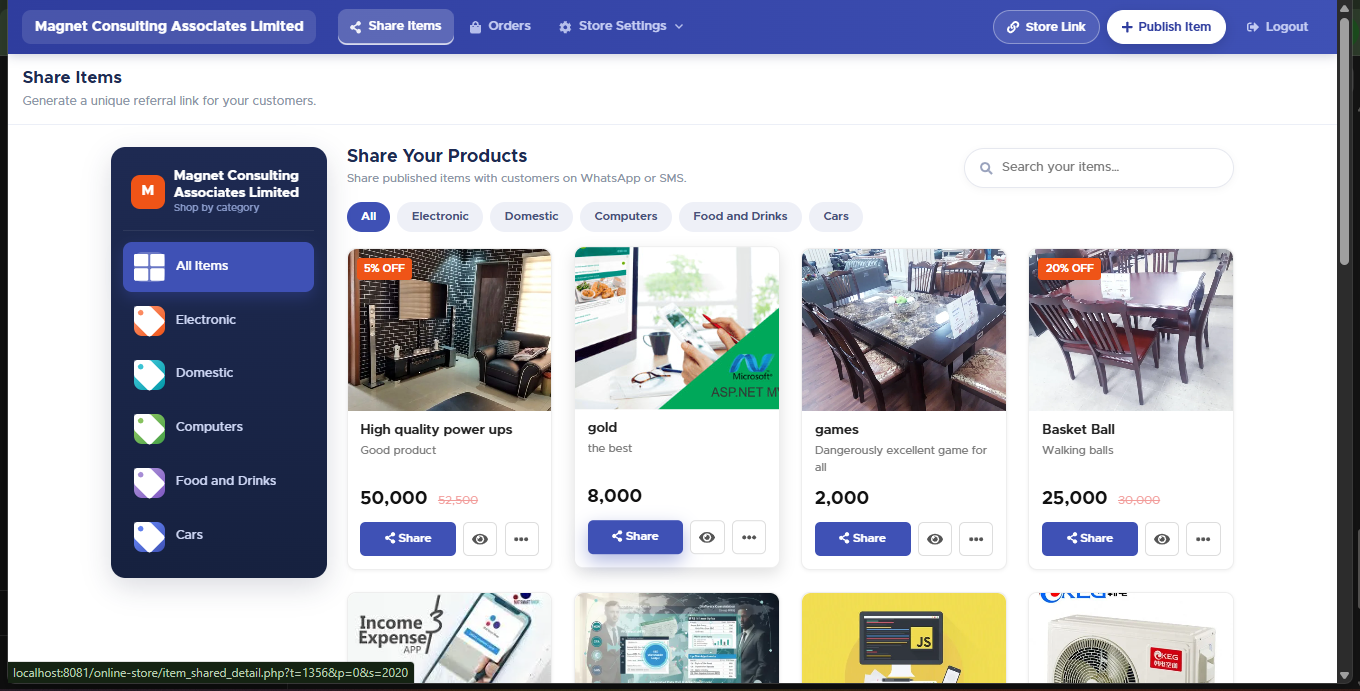
Share Items — every published product, each with its own share actions.
The store link sends someone to your whole catalogue. To send one product instead, open Share Items and use the Share button, or the ⋯ menu for Send SMS, Feature, Hide or Delete.
Hide, don’t delete. Hiding a product is reversible from the same menu; deleting is not. Use Hide for anything discontinued, seasonal, or temporarily out of stock.
On Share Items, click Share on the product, pick a customer, and click Share On WhatsApp.
To text a wider audience about it, use ⋯ → Send SMS: check the message, the live character/page count, and the recipient cost before sending.
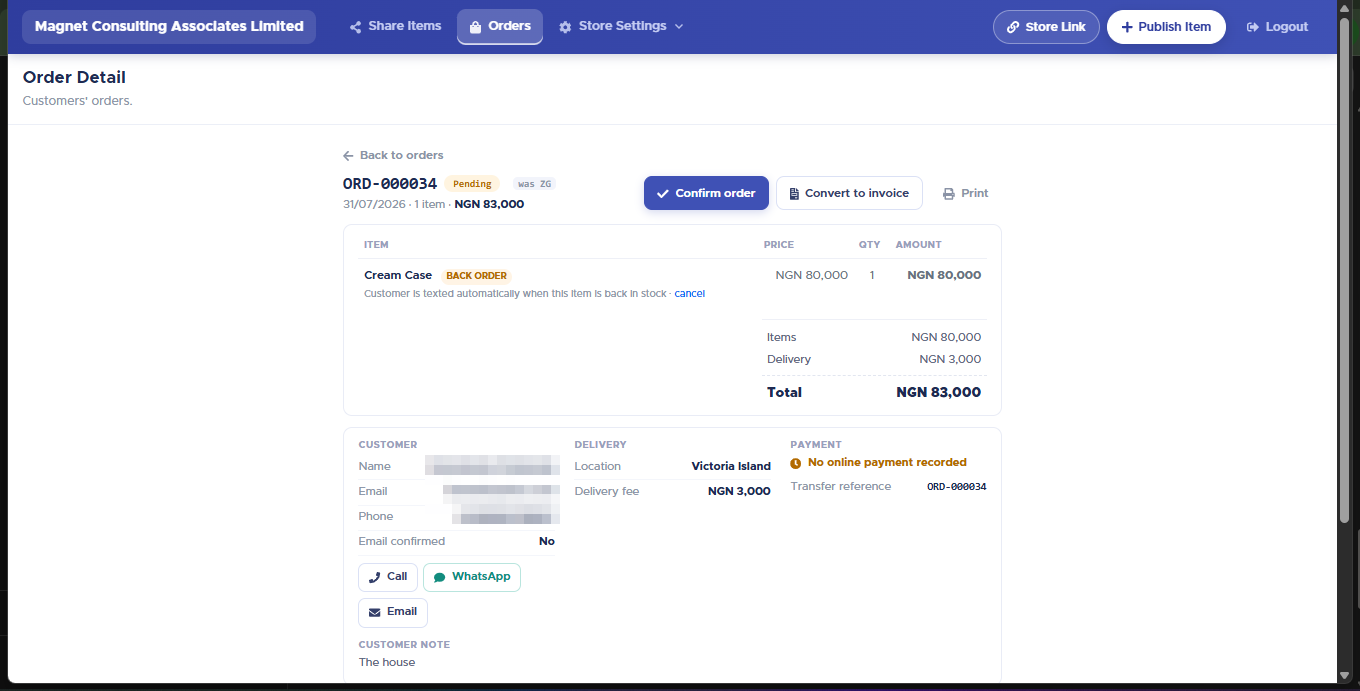
When an order comes in, open Orders. Every order carries a sequential number like ORD-000034.
Order Detail — status, the actions, and every way to reach the customer.
Open the order. Confirm order moves it from Pending to Confirmed.
Convert to invoice creates the invoice under Sales & Customers so you can fulfil and get paid through your normal flow.
Use the customer block’s Call, WhatsApp and Email buttons to reach them directly if needed.
A back-ordered line on an order is badged BACK ORDER, with a note that the customer is texted automatically once the item is back in stock — that queue lives under Store Settings → Back-order Notifications.
Every product now has its own web address (your store's address, then /item/, a number and the product name), and older links still open the right product. Want people to find your products on Google too? Tick Show my store and products on Google in Store Settings -> Setup. See the "Show your store and products on Google" article.